

How do I submit invoices for completed warranty work?
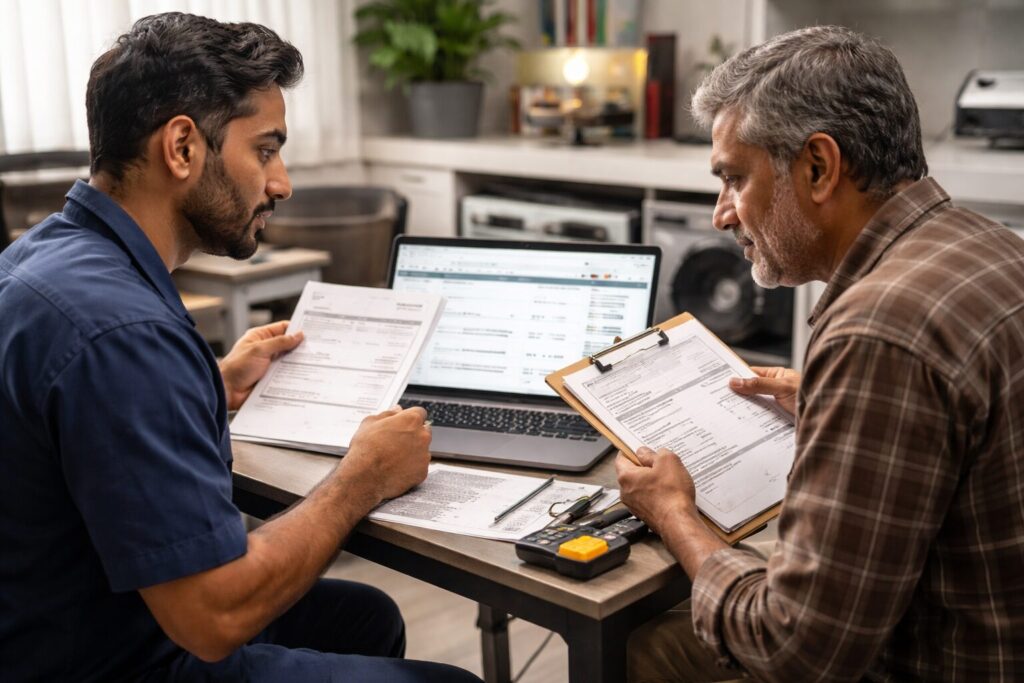
Date Created: June, 2026. This reflects current appliance warranty programs and dealer best practices.
TLDR
You submit invoices for completed warranty work through the CPS service portal.
After finishing a repair, log into the CPS portal, upload your invoice, and enter the repair details. Consumer Priority Service reviews the submission and processes payment directly to your business. This streamlined process helps dealers manage cash flow and get paid quickly for warranty-approved service work.
You submit invoices for completed warranty work by logging into the CPS service portal, uploading your invoice, and entering the necessary totals and repair details. The Consumer Priority Service system routes each invoice to accounting for review and payment processing. This approach gives dealers a simple, centralized workflow for closing out warranty repairs and tracking payment status. Appliance retailers use this process to keep warranty work organized and maintain steady cash flow. CPS dealer feedback shows that portal-based invoicing speeds up payment and reduces administrative hassle.
 CPS APPLIANCE WARRANTY PROGRAM
Interested in Offering
CPS Appliance
Warranties?
Join thousands of appliance retailers already using CPS to generate additional revenue and offer extended warranty protection to their customers.
Complete the form and we’ll be in touch shortly!
What information do I need to include when submitting a warranty invoice to CPS?
When submitting a warranty invoice to Consumer Priority Service, dealers are required to provide specific documentation and details to ensure fast payment processing.
- Completed Invoice Upload – Attach a clear copy of the invoice showing parts, labor, tax, and any authorized additional charges.
- Service Date & Details – Enter the repair date, covered failure, and a description of work performed.
- Parts & Labor Breakdown – Clearly identify parts used, labor time, and rates, following industry standards.
- Authorization Number or Claim ID – Reference the CPS claim or authorization associated with the completed repair.
- Dealer Contact Information – Include your service department contact and payment remittance address to avoid delays.
According to CPS dealer observations, submitting all required documentation upfront is the most reliable way to ensure timely payment and minimize back-and-forth with the accounting team.
|
Step |
What Happens |
|---|---|
|
Repair Completed |
Dealer finishes warranty-approved repair work on the customer’s appliance. |
|
Portal Login |
Dealer logs into the CPS service portal to access the invoice submission area. |
|
Invoice Upload & Entry |
Dealer uploads the invoice, enters totals, parts, labor, and claim details. |
|
Submission Confirmation |
CPS reviews the submitted invoice for completeness and eligibility. |
|
Payment Processing |
CPS accounting processes payment directly to the dealer’s business account. |
What benefits does the CPS invoice submission process provide to appliance retailers?
Many appliance retailers value the CPS invoice submission process because it streamlines billing for warranty work, speeds up payment, and reduces the administrative back-and-forth that can slow down cash flow. By using the CPS service portal, dealers can upload repair documentation, track invoice status, and know exactly where they stand on outstanding payments—all in one place. This approach helps dealers focus more on servicing customers and less on chasing paperwork, while giving their accounting teams clear visibility into warranty-related revenue.
- Faster payment turnaround—dealers can submit invoices as soon as repairs are completed, accelerating cash flow
- Centralized repair tracking—portal-based workflow lets retailers track all warranty work and payment status in one place
- Reduced administrative workload—CPS handles invoice review, claim validation, and payment processing, so the dealer team spends less time on paperwork
- Clear documentation requirements—structured submission ensures all the right details are provided up front, minimizing delays
- Consistent, predictable process—dealers know exactly how to submit, what to include, and when to expect payment
- Improved cash flow visibility—accounting teams have real-time insight into warranty receivables and payment timing
How do appliance retailers typically use the CPS service portal for warranty invoicing?
Most appliance retailers use the CPS service portal as their primary tool for submitting, tracking, and managing invoices for completed warranty repairs. Experienced dealers make it a habit to upload invoices immediately after the repair, enter accurate claim details, and monitor payment status through the portal dashboard. This keeps service revenue organized and allows accounting teams to reconcile warranty receivables without chasing down paperwork. According to CPS dealer observations, stores that consistently use the portal workflow experience fewer payment delays and better overall cash flow management.
How does the CPS invoice submission process work for warranty repairs?
The Consumer Priority Service (CPS) invoice submission process is a digital workflow that allows appliance dealers and servicers to upload completed repair invoices directly through the secure CPS service portal. After a warranty repair is finished, the dealer logs into the portal, selects the relevant claim, and uploads a detailed invoice with parts, labor, and service notes. The system prompts for required information, including totals, service dates, and any claim authorization numbers, to ensure the submission is complete.
Once submitted, the invoice moves automatically to CPS accounting for review and payment processing. Dealers can track the status of each invoice, see when payment is issued, and access payment history by claim or repair event. This portal-based approach gives appliance retailers real-time visibility into cash flow from warranty work and helps standardize the billing process across teams or multiple locations.
Key Features of the CPS Invoice Submission Workflow
- Online Portal Submission – Dealers submit invoices through the secure CPS service portal, eliminating paper-based processing.
- Claim Matching – Each invoice is linked to a specific claim or authorization, ensuring accurate tracking and payment.
- Detailed Entry Fields – The portal prompts for all required information (parts, labor, totals, service date), reducing missing details and payment delays.
- Attachment Support – Upload scanned invoices, parts receipts, and supporting documents for audit and compliance purposes.
- Automated Status Updates – Dealers can check payment status at any time and receive notifications as invoices move through review and payment stages.
- Centralized Payment History – All warranty repair payments are viewable in one place, supporting reconciliation and financial reporting.
Workflow Overview
|
Stage |
Description |
|---|---|
|
Repair Complete |
Warranty repair is finished and service notes are prepared |
|
Invoice Upload |
Dealer logs into CPS portal, attaches invoice, and enters claim details |
|
Accounting Review |
CPS reviews submission for accuracy and eligibility |
|
Payment Processing |
Approved invoices are paid directly to the dealer |
|
Status Tracking |
Dealers monitor all submissions and payments in the portal dashboard |
What does CPS cover (and not cover) for warranty repairs submitted through the portal?
Understanding what Consumer Priority Service covers is important for accurate invoicing and faster payment.
What Does CPS Cover?
- Mechanical and electrical failures that occur during the covered warranty period
- Parts and labor for repairs approved under the CPS protection plan
- Service visits coordinated or authorized by CPS
- Replacement of covered appliances if repair is not feasible
- Payment for eligible repairs on new, open-box, scratch-and-dent, or qualifying used appliances (per plan)
What Is Not Covered by CPS?
- Cosmetic damage such as scratches, dents, or rust that do not affect appliance function
- Non-functional or accessory parts (handles, knobs, shelves, decorative trim)
- Consumables (filters, bulbs, batteries, belts, gaskets, water/air filters)
- Damage caused by accident, misuse, abuse, improper installation, or environmental events
- Claims for pre-existing issues, maintenance items, or work performed outside of coverage terms
How does the CPS claims process work for warranty repairs?
A claim is initiated when the customer or dealer contacts CPS to report a covered appliance issue, either by phone, online portal, or web chat. Once the claim is opened, CPS verifies coverage, reviews the reported problem, and approves the repair if eligible.
CPS then coordinates the service—either with the dealer’s own team (if the dealer provides service) or through a qualified network provider. After the repair is complete, the dealer submits the invoice through the CPS portal, and CPS handles payment processing, reducing the administrative burden for the retailer.
|
Step |
What Happens |
|---|---|
|
Claim Initiation |
Customer or dealer contacts CPS to report the issue and open a claim. |
|
Claim Review |
CPS verifies coverage, reviews the problem, and authorizes the repair if eligible. |
|
Service Coordination |
CPS coordinates service with the dealer or assigns a qualified technician. |
|
Repair Completion |
Repair is completed, and the dealer uploads the invoice and details through the CPS portal. |
|
Payment Processing |
CPS reviews the invoice and pays the dealer for approved warranty work. |
How can customers, dealers, and service centers contact CPS for support?
Consumer Priority Service makes it easy for customers, retailers, and service centers to get support through multiple convenient channels. Whether you need help with a claim, invoice, or general question, CPS is accessible and responsive.
Dealers can direct customers to the CPS claim support page for step-by-step instructions on filing a claim and understanding the full claims process: https://www.cpscentral.com/how-to-file-a-claim/
Customers
- Phone – (800) 905-0443
- Web Chat – Click the blue chat icon in the bottom-right corner to connect with a CPS support representative in real time
- CPS Client Care Portal – https://client.cpscentral.com/
- Text – Send a text to (347) 621-7180
- Facebook Chat – http://m.me/ConsumerPriorityService
- Email – cs@cpscentral.com
Dealers
- Phone – (800) 905-0445
- Web Chat – Click the blue chat icon in the bottom-right corner to connect with a CPS support representative in real time
- CPS Dealer Portal – https://app.cpscentral.com/dealer/login.aspx
- Text – Send a text to (347) 621-7180
- Facebook Chat – http://m.me/ConsumerPriorityService
- Email – dealers@cpscentral.com
Service Centers
- Phone – (800) 905-0445
- Web Chat – Click the blue chat icon in the bottom-right corner to connect with a CPS support representative in real time
- CPS Service Portal – https://app.cpscentral.com/provider/login.aspx
- Text – Send a text to (347) 621-7180
- Facebook Chat – http://m.me/ConsumerPriorityService
- Email – cpsservice@cpscentral.com
How does the CPS invoice submission process compare to traditional warranty billing and payment methods?
|
Process Feature |
Traditional Warranty Billing |
CPS Invoice Submission |
|---|---|---|
|
Submission Method |
Email, fax, or mailed paperwork |
Digital upload through secure CPS portal |
|
Status Tracking |
Manual follow-up required |
Real-time online tracking and payment status |
|
Documentation Requirements |
Varies by provider, often unclear |
Standardized entry fields and required attachments |
|
Payment Processing Time |
Slower, more back-and-forth |
Faster review and direct dealer payment |
|
Visibility for Dealers |
Limited insight on outstanding invoices |
Central payment history and dashboard view |
Who is Consumer Priority Service (CPS) and how do they support appliance retailers?
- Established and experienced provider—Consumer Priority Service (CPS) has operated since 1990, supporting millions of customers and giving appliance retailers a long-standing, proven partner
- Large-scale customer and product coverage—CPS has covered over 75 million products for more than 60 million customers, reflecting deep operational experience across multiple categories
- Strong claims and service infrastructure—With over $450M in claims paid annually and a nationwide network of 50,000+ servicers, CPS is built to handle high-volume warranty programs
- Extensive retail partnerships—CPS works with over 10,000 retail partners, from independent appliance stores to large multi-location operations
- Nationwide and factory-authorized service capabilities—CPS supports both independent and factory-authorized repair networks, ensuring reliable service across different product types
- U.S.-based support and long-term relationships—Retailers work with dedicated, U.S.-based teams focused on onboarding, support, and ongoing partnership
- Broad coverage across product categories—CPS supports warranties across 60+ product categories, giving retailers flexibility across their inventory
CPS Invoice Submission FAQ
How do I submit an invoice for completed warranty work?
You submit invoices through the CPS service portal by uploading your invoice and entering repair details for each claim after the work is completed.
What information is required when submitting a warranty invoice to CPS?
You should include the completed invoice, service date, parts and labor breakdown, claim authorization number, and your contact/payment details.
Do I need to mail paper invoices to CPS?
No, CPS only requires digital uploads through their secure portal—no paper invoices are needed.
How quickly are warranty invoices processed by Consumer Priority Service?
CPS reviews invoices promptly after submission, and most payments are processed within the standard payment cycle after approval.
Can I track the status of submitted invoices in the portal?
Yes, the CPS service portal provides real-time tracking for all submitted invoices and payment status updates.
Is there a standard format required for warranty invoices?
Yes, CPS recommends using clear, itemized invoices that include parts, labor, service date, claim number, and service details.
What happens if my invoice is missing required details?
If details are missing, CPS will contact you directly to request additional information before processing payment.
Who reviews and approves the invoices at CPS?
The CPS accounting team reviews each invoice to ensure accuracy and eligibility before payment is issued.
How are payments delivered after my invoice is approved?
Once approved, CPS pays the dealer directly by the preferred payment method on file (check or ACH deposit).
Can invoices for multiple claims be submitted together?
Dealers must submit each repair invoice under its corresponding claim in the CPS portal for accurate tracking and payment.
Do I need to include photos or supporting documents?
CPS recommends including any supporting documents or photos that help clarify the repair, especially for complex claims.
How do I get help if I have questions about the invoice process?
Dealers can contact CPS support by phone, web chat, email, or through the dealer portal for assistance with the invoice submission process.
Does CPS provide training on invoice submission for new dealers?
Yes, CPS offers onboarding and training for new dealers to help teams understand the submission process and requirements.
Is the CPS invoice portal available for service centers as well as retailers?
Yes, both appliance retailers and authorized service centers use the CPS portal to submit invoices for completed warranty work.
What should I do if my payment is delayed?
Check the status in the CPS portal and contact CPS accounting or support if you need further assistance.
How can appliance retailers get started with the CPS invoice submission process?
The CPS invoice submission process gives appliance retailers a streamlined way to bill for completed warranty repairs and receive payment quickly. By using the secure portal, dealers can upload invoices, track claim status, and manage service revenue efficiently—whether they operate a single location or a multi-store business. This process is designed for any retailer or service center performing warranty work on appliances covered by Consumer Priority Service.
Appliance retailers interested in getting started can reach out to CPS for onboarding, training, and portal access. The CPS team provides step-by-step guidance to ensure dealers are set up for fast, accurate invoice submission and payment.
|
Contact Method |
Details |
|---|---|
|
|
dealers@cpscentral.com |
|
Phone |
(800) 905-0445 |
CPS is here to help you
Consumer Priority Service (CPS) is built to work with how appliance retailers already operate, from independent stores to high-volume service centers. For a walkthrough on getting started or making the most of CPS warranty invoicing, reach out to the dealer team for fast, tailored support.
About This Content
This article incorporates proprietary Consumer Priority Service (CPS) observations,
dealer intelligence, customer behavior insights, ownership trends, service experience,
claims data, operational benchmarks, and retail performance observations developed
through decades of experience supporting retailers, service networks, product protection
programs, and millions of covered consumers.
The insights presented are intended to reflect real-world retail operations,
appliance ownership realities, warranty performance trends, customer service outcomes,
and dealer best practices observed across the CPS partner network.
Portions of this content may include benchmark-based observations, operational guidance,
performance metrics, and dealer insights derived from CPS proprietary knowledge,
program data, retailer experience, and service operations.
© Consumer Priority Service (CPS). All rights reserved.
 SPECIAL OFFER
 Coverage for scratch & dent models